AI agents for small business are no longer a future idea: they are software helpers that can read a message, look up information, decide on the next step and act on it, such as replying to a customer, logging a lead or sending a follow-up. If you run a shop, an agency or a service business, this guide explains in plain words what AI agents can really do today, nine practical uses, and a safe way to start without wasting money.
We will keep it practical: no hype, no made-up numbers, just tasks you can hand over, the checks you should keep, and a simple 30-day plan.
What Is an AI Agent (and How Is It Different from a Chatbot)?
A normal chatbot answers questions. You type, it replies, and the conversation ends there. An AI agent goes one step further: it has a goal, it can use tools (your CRM, inbox, calendar or store), and it can take several steps in a row to reach that goal.
A simple example shows the difference:
- Chatbot: “Our opening hours are 9 am to 6 pm.”
- AI agent: answers the question, asks what the visitor needs, checks your calendar, offers two free time slots, books the appointment, adds the person to your CRM and sends a reminder the day before.
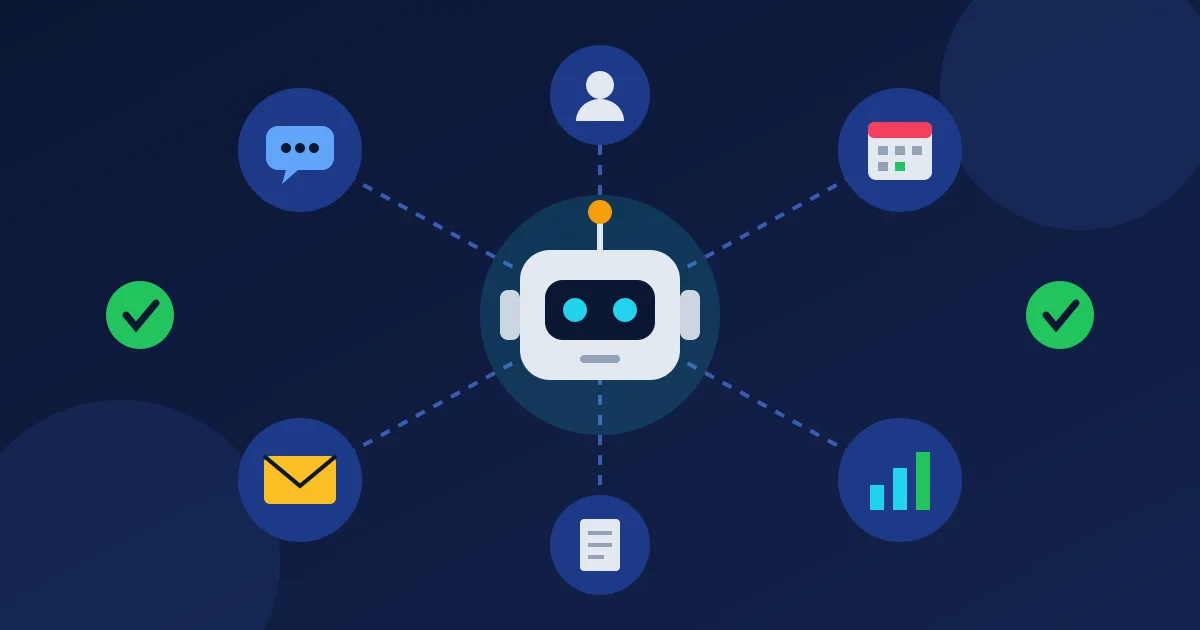
Most useful agents have three parts: a language model (the “brain” that understands text), a knowledge base (your own prices, products and FAQs, so it does not guess), and tools or actions it is allowed to use. The more clearly you define all three, the better and safer the agent becomes.
9 Practical Uses of AI Agents for Small Business
Here are the jobs where AI agents for small business usually pay off first. They are repetitive, they follow clear rules, and a mistake is easy to spot and fix.
1. Answering website visitors and qualifying leads
A live chat agent can greet visitors, answer common questions from your knowledge base and ask a few qualifying questions: what they need, their budget, their timeline and how to contact them. Good leads go straight to your CRM; simple questions are solved without you. Always give visitors an easy way to reach a human.
2. Following up with every lead, on time
Many small businesses lose deals simply because nobody followed up. An agent can send a short, personal follow-up after a form submission, remind you when a lead goes quiet, and move the contact to the right stage in your pipeline. Our guide to automated lead generation for local businesses shows how to build that flow step by step.
3. Booking appointments
For salons, clinics, consultants and repair services, back-and-forth messages about time slots eat hours every week. A booking agent can offer free slots, handle time zones, confirm the booking and send reminders, which also helps reduce no-shows.
4. First-line customer support
An agent can read incoming support messages, answer the easy ones (“Where is my order?”, “How do I reset my password?”), tag the rest by topic and urgency, and pass them to the right person with a short summary. You still handle refunds, complaints and anything sensitive.
5. Drafting marketing content
Social posts, product descriptions, email newsletters and blog outlines are good jobs for an AI writer. Treat the output as a first draft: check facts, prices and claims, and add your own examples and voice before you publish.
6. Researching competitors and markets
A research agent can collect public information about competitors, such as their offers, pricing pages and customer reviews, and turn it into a short summary of what people like and dislike. See our step-by-step method for competitor review analysis.
7. Sorting invoices and paperwork
Agents can read invoices, quotes and contracts, pull out key details (amounts, due dates, parties, renewal dates) and flag anything unusual for you to check. A human should still approve every payment and sign every contract.
8. Reporting on your business
Instead of opening five dashboards, you can ask an agent: “How many new leads did we get this week, and which source brought the most?” It collects the numbers and writes a plain summary. Always ask it to show where the numbers came from so you can double-check them.
9. Running website and store admin by chat
With a secure connection, an AI assistant can help manage your website: list draft posts, check SEO, find processing orders or flag low stock, with your approval for each change. If you use WordPress, our simple guide to MCP for WordPress and our weekly maintenance checklist you can run by chat explain how this works.
What AI Agents Should Not Do Alone
AI agents can misunderstand a request or state something wrong with full confidence. Keep a human in the loop for:
- Money: refunds, payments, discounts and price changes.
- Legal and HR decisions: contracts, hiring and firing, and anything with legal risk.
- Sensitive data: passwords, ID documents and health or financial details.
- Bulk messages: mass emails, SMS or WhatsApp sends, which must follow consent and anti-spam rules in your country.
- Angry or upset customers: people want to talk to a person when something goes wrong.
How to Start with AI Agents: A Simple 30-Day Plan
- Week 1 – Pick one task. Write down the repetitive jobs you did last week and choose the one that is most frequent and lowest risk, for example answering website chat or lead follow-up.
- Week 1 – Build the knowledge base. Collect your prices, services, delivery times, refund rules and top 20 customer questions in one document. This is what keeps the agent accurate.
- Week 2 – Set limits. Decide exactly what the agent may do (answer, tag, book, draft) and what it must hand to you. Give it read-only access first where possible.
- Week 2 – Test with fake customers. Ask friends or staff to send tricky questions. Fix wrong answers by improving the knowledge base, not by hoping the model will “learn”.
- Week 3 – Go live in a small way. Turn the agent on for one channel or during off-hours only. Read every conversation for the first week.
- Week 4 – Measure and decide. Compare hours saved, leads captured and mistakes found. If the results are good, add a second task; if not, adjust before you expand.
Cloud Subscriptions vs Self-Hosted AI Agents
You can get AI agents in two main ways:
- Cloud tools (monthly subscription): quick to start and no server to manage, but costs grow with every user, contact or extra tool, and your customer data sits on someone else’s platform.
- Self-hosted software (one-time licence): runs on your own server or VPS, so your data stays with you and you avoid stacking monthly fees. You do need basic server setup, and you will usually pay separately for the AI model API you connect.
If you already pay for a separate CRM, chat tool, email platform and helpdesk, a self-hosted all-in-one system can be easier to manage. Our guide to self-hosted CRM software compares the costs and trade-offs in more detail.
AI Agents for Small Business: Readiness Checklist
- ☐ I have chosen one low-risk, repetitive task to start with
- ☐ My prices, policies and FAQs are written down in one place
- ☐ I know exactly which actions the agent may take on its own
- ☐ Money, legal and sensitive tasks always go to a human
- ☐ Customers can easily reach a real person
- ☐ Bulk messages follow consent and opt-out rules
- ☐ The agent’s actions are logged so I can review them
- ☐ I review conversations weekly and update the knowledge base
- ☐ I know the full monthly cost, including AI model usage
Frequently Asked Questions
Are AI agents worth it for a very small business?
They can be, if you start with one task that eats your time every week, such as answering the same questions or following up with leads. AI agents for small business work best on clear, repeatable jobs. If you only get a few enquiries a month, a simple template and calendar link may be enough for now.
Do I need coding skills to use an AI agent?
Not for most ready-made tools. You will need to write clear instructions, fill a knowledge base and connect your accounts. Self-hosted software also needs a server or VPS, which you can set up yourself or ask a developer or your host to help with.
Will an AI agent replace my staff?
In most small businesses it takes over repetitive work, not whole jobs. Your team still handles relationships, decisions and problems, but spends less time copying data, chasing replies and answering the same questions.
Is it safe to let an AI agent talk to my customers?
It is safer when the agent answers only from your own knowledge base, has clear limits, hands difficult cases to a human and logs every conversation. Tell customers they are chatting with an AI assistant, and review conversations regularly.
Run Your AI Agents on Your Own Server
If you want AI agents, lead generation and customer management in one place, Auto Lead Pilot AI is self-hosted software that combines a CRM with a visual sales pipeline, email, WhatsApp and SMS campaigns, a live chat widget with an AI chatbot lead qualifier, an omni-channel helpdesk, appointment scheduling and invoicing. Its AI agents use a knowledge base built from your own products, pricing and FAQs, and include a business intelligence analyst, a social media content manager, an SEO article writer and a competitor intelligence agent. It runs on your own server, so your customer data stays with you.
It is a one-time payment from $699 for one domain, with lifetime access and no monthly fees. You can read our refund policy before you buy, and if you are not sure whether it fits your business or server, just contact us and we will help you decide.