These Cyber Monday email templates give your WooCommerce store a complete set of sale emails you can copy, edit and schedule in an afternoon. In 2026, Cyber Monday falls on Monday, November 30, three days after Black Friday (November 27). Most shoppers decide what to buy from their inbox that day, so a short, well-timed sequence often matters more than a big discount.
Below you will find seven ready-to-use emails, each with a subject line, preview text and body. They are written for small stores anywhere in the world, whether you sell physical products, digital downloads or software licences. Replace the parts in [square brackets] with your own details.
Before You Write: 5 Rules for Cyber Monday Emails
- One offer per email. Shoppers skim. Lead with the deal and the end time.
- Short subject lines. Aim for about 30–50 characters so they are not cut off on phones.
- A clear end time with a time zone. “Ends Monday 11:59 pm (GMT)” is better than “ends soon”.
- Be honest. If you say “last chance”, do not extend the sale the next morning without explaining why. Fake urgency hurts trust and future open rates.
- Only email people who agreed to hear from you. Include a working unsubscribe link and your business address in every marketing email. Large mailbox providers such as Gmail and Yahoo also expect bulk senders to authenticate their domain and support easy unsubscribes.
Cyber Monday 2026 Email Schedule
Here is a simple schedule that fits around Black Friday without flooding your list. Adjust the times to your customers’ main time zone.
- Saturday, November 28 or Sunday, November 29: Email 1 – early access teaser.
- Monday, November 30, morning: Email 2 – the launch email.
- Monday, around midday: Email 3 – best sellers or gift ideas (send to people who did not open Email 2).
- Automatic, 1 hour after a cart is left: Email 4 – abandoned cart reminder.
- Monday evening, 3–5 hours before the end: Email 5 – last chance.
- Tuesday, December 1 (optional): Email 6 – honest extension or “Cyber Week” update.
- Automatic, after purchase: Email 7 – thank-you and next steps.
If you are still preparing the store itself, start with our WooCommerce Black Friday checklist, which covers backups, payment tests, coupons and scheduled sale prices for the whole weekend.
7 Cyber Monday Email Templates You Can Copy
Email 1: Early Access Teaser
Subject: Your Cyber Monday early access is ready
Preview text: Subscribers get in first – here is what is coming.
Hi [First name], Cyber Monday starts on November 30, but as a subscriber you can shop the deals from [time and date]. This year we are offering [main offer, for example 30% off everything / a free bonus with every order]. Save this email – your early access link will work from [time]. [Button: See the deals]
Why it works: it rewards your list for subscribing and gives people time to plan their purchase.
Email 2: The Cyber Monday Launch
Subject: Cyber Monday is live: [offer] until midnight
Preview text: One day only. Ends [time, time zone].
Hi [First name], our Cyber Monday sale is now live. Get [offer] on

All In One Smart Extractor Windows Software
$20.00
Add to cart

Auto Lead Pilot AI – The Complete Business Solution
Price range: $699.00 through $1,999.00

Billify – Smart Inventory, Billing and POS Windows Software
$29.00
Add to cart

DataXtract Pro Web Application
$30.00
Add to cart

Fin Tools WordPress Theme
$29.00
Add to cart
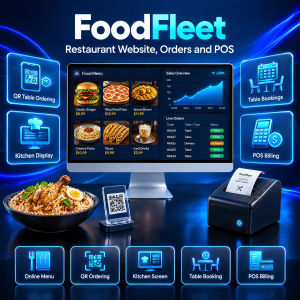
FoodFleet — Complete Restaurant Website System (Next.js + Node.js)
$45.00
Add to cart
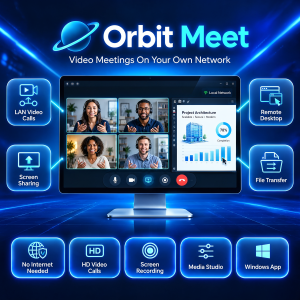
Orbit Meet — Video Calls, Screen Sharing & Remote Desktop for Windows (No Internet Needed)
$29.00
Add to cart
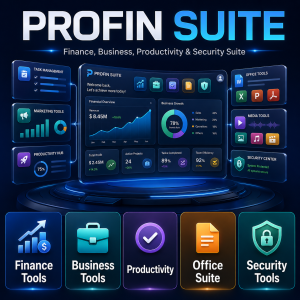
Pro Fin Suite Windows Software
$45.00
Add to cart
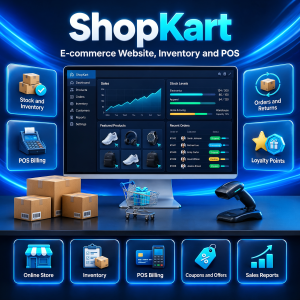
ShopKart — Complete E-commerce Website System (Next.js + Node.js)
$45.00
Add to cart
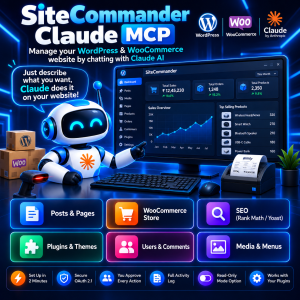
Site Commander MCP – Manage WordPress & WooCommerce with Claude AI
$29.00
Add to cart

WooFlow Manager
$29.00
Add to cart
Tip: scheduled sale prices are easier for shoppers than codes. If you do use a coupon, put it in large text near the top.
Email 3: Best Sellers or Gift Ideas
Subject: What everyone is buying today
Preview text: Our most popular picks, all on sale.
Hi [First name], not sure where to start? These are our most popular products this season: [Product 1 – one-line benefit], [Product 2 – one-line benefit], [Product 3 – one-line benefit]. All are included in the Cyber Monday sale until [end time]. [Button: See the best sellers]
Tip: only call something a best seller if your sales report shows it. A quick look at last month’s top products is enough.
Email 4: Abandoned Cart Reminder
Subject: You left something in your cart
Preview text: Your Cyber Monday price is still available until [time].
Hi [First name], you added to your cart but did not finish checking out. The Cyber Monday price is still waiting for you until [end time]. [Button: Return to my cart] Questions about delivery, licences or refunds? Reply to this email and a real person will help.
This is usually the email with the best return, because the shopper has already chosen a product. For more message ideas, see 7 ways to win back abandoned carts in WooCommerce.
Email 5: Last Chance
Subject: Last few hours: Cyber Monday ends tonight
Preview text: Prices go back up at [time, time zone].
Hi [First name], a quick reminder: our Cyber Monday deals end at [time, time zone] tonight. After that, prices return to normal. [Button: Shop before it ends] Thank you for supporting a small business.
Tip: keep this one very short. Exclude anyone who already bought during the sale.
Email 6: Honest Extension (Optional)
Subject: We extended the sale by 24 hours
Preview text: For customers in other time zones.
Hi [First name], many of our customers live in different time zones, so we are keeping Cyber Monday prices open until [new end time]. This is the final extension. [Button: Shop the extended sale]
Only send this if you planned it and have a real reason. Extending every sale teaches your list to ignore deadlines.
Email 7: Thank You and Next Steps
Subject: Thank you! Here is how to get started
Preview text: Your order details, downloads and support.
Hi [First name], thank you for your Cyber Monday order. [For physical products: your order will ship by (date) and you will receive a tracking link.] [For digital products: your download and licence key are in your account under Orders.] If anything is unclear, reply to this email. We would also love to hear what you think once you have used it.
A clear thank-you email reduces “where is my order?” messages and refund requests. Our WooCommerce order automation guide shows how to send invoices, tracking emails and licence keys automatically.
How to Set Up These Emails in WooCommerce
WooCommerce sends order emails (new order, processing, completed) on its own, but it does not send marketing campaigns. A practical setup for a small store looks like this:
- Campaign emails (1, 2, 3, 5, 6): write and schedule them in the email marketing service you already use for your newsletter. Create a segment for “did not open” and “already purchased”.
- Abandoned cart email (4): use an abandoned checkout recovery tool that sends the reminder automatically after a set delay.
- Thank-you email (7): edit the WooCommerce “Completed order” email or add a follow-up, and make sure downloads and licence keys are delivered without manual work.
- Prices and coupons: schedule sale prices in WooCommerce so the store matches the emails at the exact start and end times.
For the automated parts, WooFlow Manager includes abandoned checkout recovery, an order manager, invoices and packing slips, shipment tracking and automatic licence key delivery in one plugin. For more ideas on what to automate after the sale, read 9 WooCommerce marketing automation workflows.
Cyber Monday Email Checklist
- ☐ Offer, start time and end time (with time zone) decided
- ☐ Sale prices or coupons scheduled in WooCommerce and tested
- ☐ All seven emails written, with [brackets] replaced
- ☐ Subject lines checked on a phone screen
- ☐ Every link clicked and tested, including the cart link
- ☐ Unsubscribe link and business address in every campaign email
- ☐ Sending domain authenticated (SPF, DKIM, DMARC) with your email provider
- ☐ Segments ready: non-openers, buyers excluded from “last chance”
- ☐ Abandoned cart reminder switched on and tested with a real cart
- ☐ Order emails, downloads and licence keys delivered automatically
- ☐ Someone available to answer replies on November 30
After Cyber Monday: Review Your Results
On December 1 or 2, write down what happened while it is fresh: which email brought the most orders, which subject line had the best open rate, how many carts were recovered and which products sold best. Compare those numbers with your WooCommerce sales report for November 27–30. Keep the winning emails as templates for next year and for smaller sales such as Christmas or New Year.
If you manage your store with Claude, Site Commander MCP can pull a sales report for any date range by chat, which makes this review quick. Our guide on how to connect Claude to WordPress explains the setup.
Frequently Asked Questions
When is Cyber Monday 2026?
Cyber Monday 2026 is on Monday, November 30. It comes right after Black Friday on November 27 and the weekend that follows.
How many Cyber Monday emails should I send?
For most small stores, two or three campaign emails on the day (launch, a midday reminder to non-openers and a last-chance email) plus automatic cart and thank-you emails is enough. Watch your unsubscribe rate and send fewer if it rises.
Can I reuse my Black Friday emails for Cyber Monday?
Yes, but change the subject line, dates and offer details so subscribers do not think it is a repeat. Many stores run one offer across the whole weekend and only change the wording for Monday.
Does WooCommerce send marketing emails by itself?
No. WooCommerce sends transactional emails about orders and accounts. For campaign emails you need an email marketing service, and for abandoned cart reminders you need a recovery plugin.
Get Your Cyber Monday Emails Working for You
Copy these Cyber Monday email templates into your email tool this week, fill in your offer and schedule them well before November 30. Then let automation handle the cart reminders and order emails so you can focus on answering customers.
WooFlow Manager adds abandoned checkout recovery, order management, invoices and licence key delivery to WooCommerce for a one-time $29 with lifetime access. It is covered by our refund policy, and you can contact us with any questions before you buy.