
Description
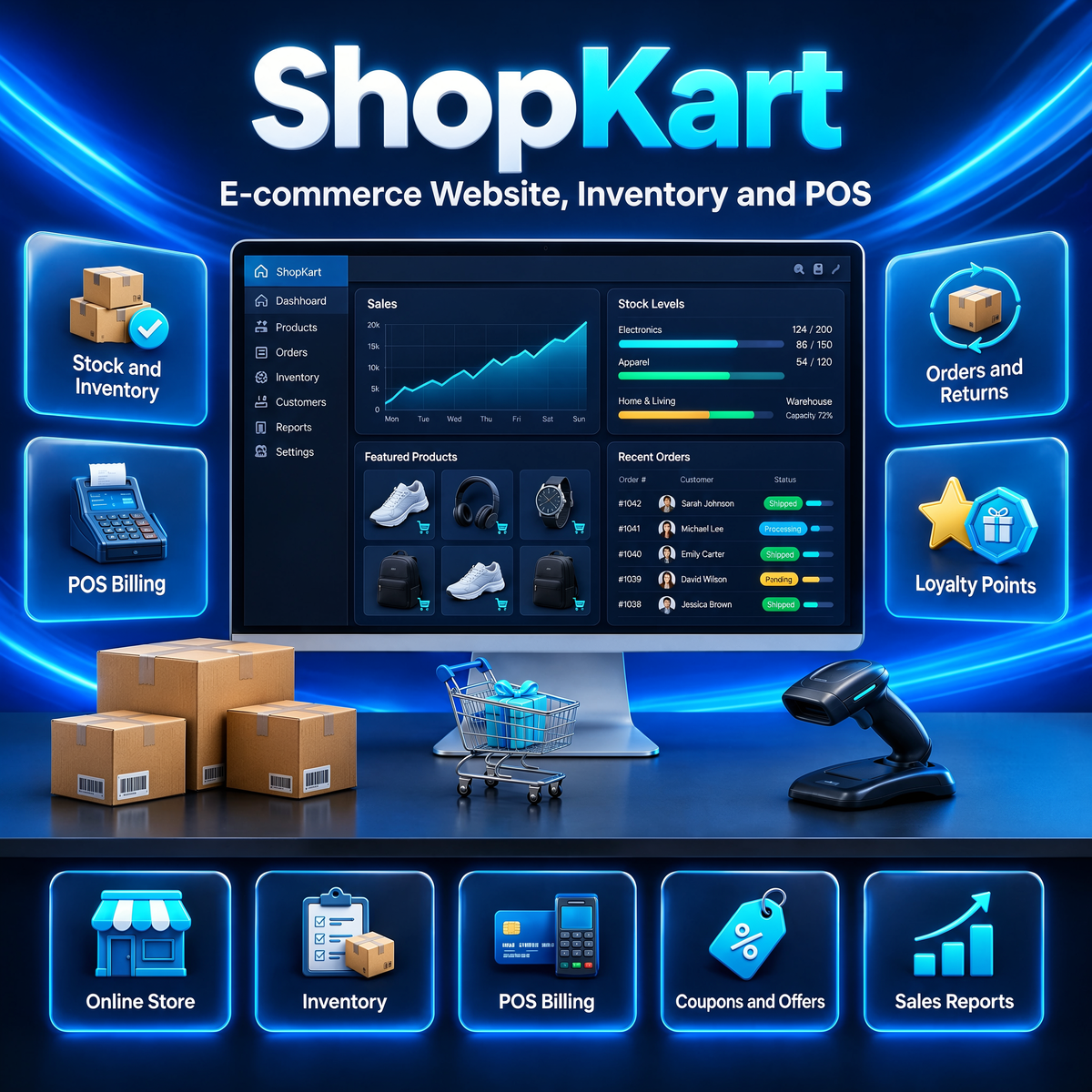
ShopKart is a complete e-commerce website system with a customer store, an admin panel, a seller panel and Flutter mobile apps in one package. You can run a single online store or a full multi-vendor marketplace on your own server, with products, stock, orders, payments and reports managed from one dashboard — and no monthly platform fees.
Key Features of This E-commerce Website System
- Customer Store: Product catalog with categories, variants, images, search and filters, flash deals and a wishlist.
- Inventory and Stock: Warehouses, a stock in/out ledger and low-stock alerts keep your counts exact across every sale and return.
- POS Billing: A counter POS that reduces stock automatically with every sale.
- Orders and Invoices: Order tracking, returns and refunds, and downloadable GST invoices.
- Seller Panel: Multi-vendor mode with seller accounts, sales analytics and CSV exports — or run it as a single store.
- Coupons and Loyalty: Discount coupons, loyalty points, product reviews and Q&A, and product recommendations.
- Payments and Notifications: Razorpay, Stripe and PayPal built in, plus Cash on Delivery. WhatsApp, SMS, email and push notifications, with abandoned-cart recovery.
- Mobile Apps: Flutter customer and seller apps are included, ready to build for Android and iOS.
- SEO and PWA: Sitemaps, meta tags, JSON-LD and clean slug URLs, an installable PWA storefront, dark mode and 3 languages (English, Hindi, Telugu).
- License Activation: Built-in license system — after install, enter your license key in the admin panel to unlock the system, with automatic verification and offline grace.
Who ShopKart Is For
ShopKart suits shops, brands and marketplace owners who want their own online store without monthly fees or per-sale platform commission, and full control over stock, sellers and orders.
Technical Requirements
- Server: A VPS or cloud server with Node.js 18 or newer (1–2 GB RAM is enough to start)
- Database: MySQL, PostgreSQL or Firebase — your choice, switchable by configuration
- Website: Next.js storefront that works on mobile and desktop browsers
- Payments: Your own Razorpay, Stripe or PayPal account for online payments (optional — Cash on Delivery works without one)
- Mobile apps: Flutter projects included; Android Studio is needed only if you want to build the apps
Frequently Asked Questions
Is ShopKart a one-time payment or a subscription?
ShopKart is a one-time payment with lifetime access. You host it on your own server and there are no monthly fees for using the system.
Can ShopKart run a multi-vendor marketplace?
Yes. ShopKart includes both a single-store mode and a multi-vendor marketplace mode with separate seller accounts and panels.
Which databases does ShopKart support?
MySQL, PostgreSQL and Firebase are all supported. You pick one in the configuration and can switch later.
How do I receive ShopKart after purchase?
Once your order is completed, the download and setup documentation appear in your account. Follow the step-by-step setup guide to launch your store.
What if ShopKart isn’t right for my business?
You’re covered by our 30-day refund window. See our refund policy for details, or contact us with questions before you buy.
How do I activate my license?
Install the system, open the admin panel and go to the License page. Enter the license key you received after purchase, with your name and email — the system unlocks as soon as the key is verified. If you paid by invoice or bank transfer, enter your invoice or transaction code and upload your payment proof.
Can I move my installation to another server?
Yes. Open the License page in the admin panel and click Deactivate, then install on the new server and activate with the same key.
Use coupon SAVE70 at checkout for 70% OFF on bundlewp.com.
Live Demo — Try It Now
See the full system running live before you buy. Open the demo and log in with the demo accounts below — customer, admin and seller panels are all open for you to explore:
Demo website: Open the ShopKart live demo
- Admin panel: admin@store.local / admin123
- Customer: customer@demo.local / customer123
- Seller: seller1@demo.local / seller123
Download the demo apps (Android):


Reviews
There are no reviews yet.