
Description
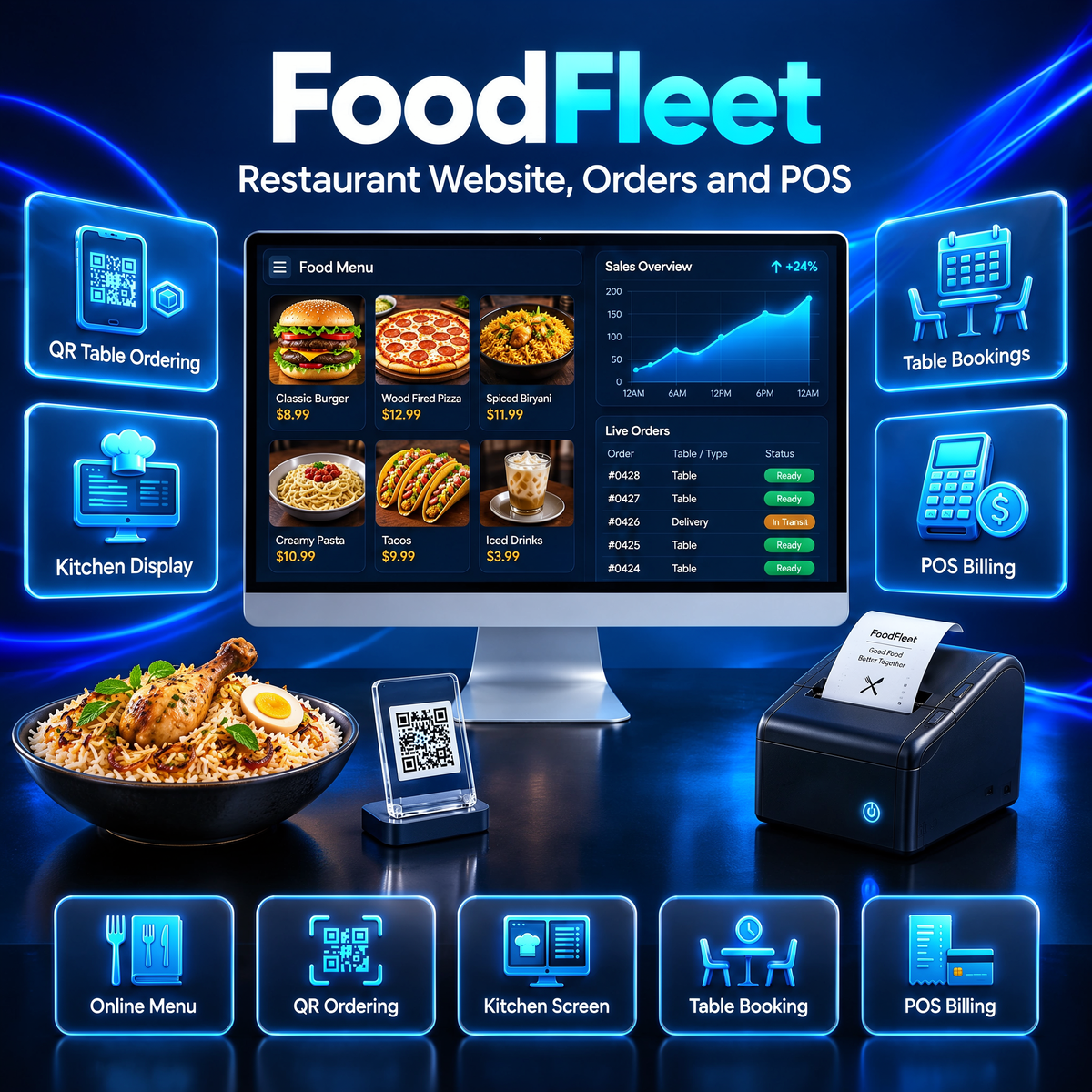
FoodFleet is a complete restaurant website system with online ordering, table bookings and a live kitchen display, made for restaurants that want their own ordering website and admin panel without monthly platform fees. It includes a customer ordering website, a full admin panel, a POS counter and Flutter mobile apps in one package, so you can run dine-in, takeaway and delivery from a single dashboard on your own server.
Key Features of This Restaurant Website System
- Customer Ordering Website: Guests browse the menu by category, choose variants and add-ons, apply coupons and check out in a few taps.
- QR Table Ordering: Every table gets its own printable QR code. Guests scan it, order from their table, and the order goes straight to the kitchen.
- Table Bookings: Online bookings from the website plus offline bookings added by your staff at the counter.
- Kitchen Display (KOT): A live kitchen screen shows new orders as they arrive, with a clear status flow from placed to served.
- POS Counter: Fast counter billing for walk-in and takeaway orders.
- Menu Management: Categories, items, variants, add-ons, veg and non-veg flags, images and prices, all editable from the admin panel.
- Orders and Payments: Full order pipeline with tax and delivery-fee totals. Razorpay, Stripe and PayPal are built in, plus Cash on Delivery.
- Notifications: Order updates by WhatsApp, SMS, email and push notification.
- Mobile Apps: A Flutter customer app is included, ready to build for Android and iOS.
- SEO and PWA: Search-engine-ready pages with sitemaps, meta tags and JSON-LD, plus an installable PWA storefront.
- License Activation: Built-in license system — after install, enter your license key in the admin panel to unlock the system, with automatic verification and offline grace.
Who FoodFleet Is For
FoodFleet suits restaurants, cafes, cloud kitchens and food outlets that want their own ordering website instead of paying commission on every order, and full control of their menu, tables and bookings from one panel.
Technical Requirements
- Server: A VPS or cloud server with Node.js 18 or newer (1–2 GB RAM is enough to start)
- Database: MySQL, PostgreSQL or Firebase — your choice, switchable by configuration
- Website: Next.js storefront that works on mobile and desktop browsers
- Payments: Your own Razorpay, Stripe or PayPal account for online payments (optional — Cash on Delivery works without one)
- Mobile apps: Flutter project included; Android Studio is needed only if you want to build the apps
Frequently Asked Questions
Is FoodFleet a one-time payment or a subscription?
FoodFleet is a one-time payment with lifetime access. You host it on your own server and there are no monthly fees for using the system.
Which databases does FoodFleet support?
MySQL, PostgreSQL and Firebase are all supported. You pick one in the configuration and can switch later.
How do I receive FoodFleet after purchase?
Once your order is completed, the download and setup documentation appear in your account. Follow the step-by-step setup guide to put your restaurant online.
Do I need my own payment gateway accounts?
Only for online payments — you add your own Razorpay, Stripe or PayPal keys in the settings. Cash on Delivery works out of the box.
What if FoodFleet isn’t right for my restaurant?
You’re covered by our 30-day refund window. See our refund policy for details, or contact us with questions before you buy.
How do I activate my license?
Install the system, open the admin panel and go to the License page. Enter the license key you received after purchase, with your name and email — the system unlocks as soon as the key is verified. If you paid by invoice or bank transfer, enter your invoice or transaction code and upload your payment proof.
Can I move my installation to another server?
Yes. Open the License page in the admin panel and click Deactivate, then install on the new server and activate with the same key.
Use coupon SAVE70 at checkout for 70% OFF on bundlewp.com.
Live Demo — Try It Now
See the full system running live before you buy. Open the demo and log in with the demo accounts below — customer, admin and rider panels are all open for you to explore:
Demo website: Open the FoodFleet live demo
- Admin panel: admin@demo.local / admin123
- Customer: customer@demo.local / customer123
- Rider app login: rider@demo.local / rider123
Download the demo apps (Android):


Reviews
There are no reviews yet.