If you sell to restaurants, salons, clinics, gyms, dentists or trades, your best prospects are already listed on Google Maps. The hard part is not finding them once. It is finding them every week, checking which ones are a good fit, and following up without losing hours to copy-and-paste. That is what automated lead generation for local businesses solves: a repeatable system that collects local business data, filters it, and starts the conversation for you.
This guide is written for agencies, freelancers, web designers, marketers and software sellers anywhere in the world who sell to local businesses. You will build a simple 7-step system, see where automation helps and where a human touch still matters, and get a checklist you can reuse.
What Automated Lead Generation for Local Businesses Means
Manual prospecting usually looks like this: search a niche and a city, open each listing, copy the name, phone and website into a spreadsheet, visit the website, guess whether they need your service, then write an email. Ten good leads can take an afternoon.
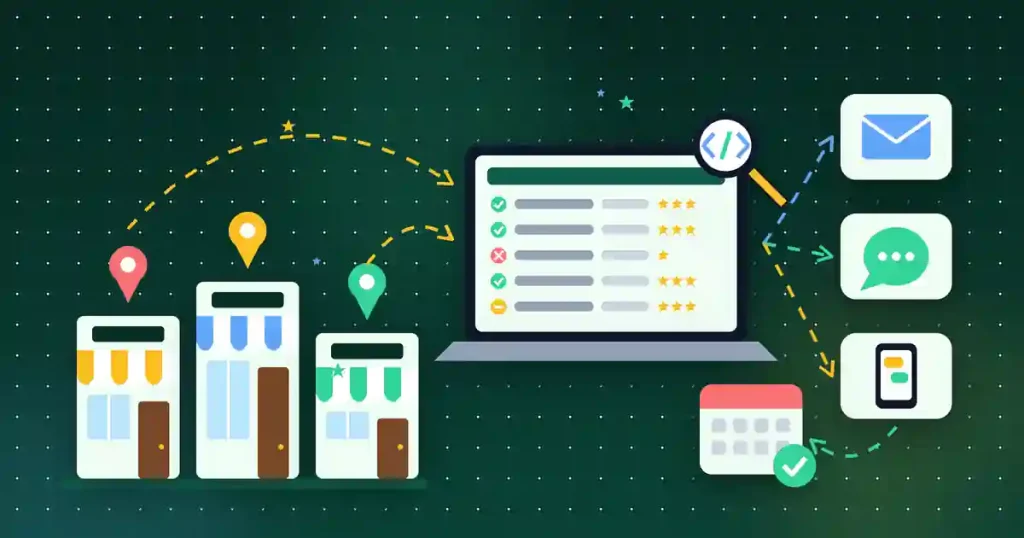
An automated system replaces the repetitive parts:
- Collection: a tool pulls business names, addresses, phones, websites, ratings and categories from map listings in bulk.
- Cleaning: duplicates are removed and emails are checked before you send anything.
- Qualification: you sort leads by signals that matter to your offer, such as rating, review count or what technology their website uses.
- Outreach: personalised email, SMS or WhatsApp messages go out at a safe pace, with replies handled by you.
The goal is not to blast thousands of messages. It is to spend your time on conversations with businesses that are likely to need you.
Step 1: Pick One Niche, One Area and One Offer
Automation multiplies whatever you feed it, so start narrow. Choose a single niche (for example “dental clinics”), a clear area (one city or a group of nearby towns), and one offer you can describe in a sentence (for example “a booking page that fills empty appointment slots”).
Write down what a good-fit lead looks like before you collect anything. A web designer might want businesses with no website or an old one. A review-management agency might want businesses with a rating under 4.2. A payments reseller might look for shops whose website has no online payment option. These rules become your filters in Step 4.
Step 2: Collect Local Business Data from Google Maps in Bulk
Run searches like “dentist in [city]” or paste Google Maps URLs for the areas you cover. A Google Maps extractor can collect the name, address, phone number, website, email (where available), rating, category, opening hours and review data for every listing, then export it to a spreadsheet. If you have never done this before, our step-by-step guide on how to extract business leads from Google Maps walks through the basics.
Tips for clean results:
- Search several nearby areas rather than one huge region, so listings are not cut off.
- Keep the search term and area in a column, so you know where each lead came from.
- Remove duplicates straight away. Chains and multi-category listings often appear twice.
Step 3: Clean and Verify Before You Contact Anyone
Bad data wastes credits and hurts your sender reputation. Before outreach:
- Delete rows with no phone, no email and no website. You cannot reach them anyway.
- Verify email addresses so bounces stay low.
- Standardise phone numbers in the international format your SMS or WhatsApp tool expects.
- Mark businesses that are permanently closed or clearly outside your area.
Step 4: Qualify Local Leads Automatically
This is where automated lead generation for local businesses beats a raw list. Score each lead with the signals you defined in Step 1. Useful ones include:
- Website or no website: a blank website column is a direct opportunity for web designers.
- Technology used: a technology detector can show which CMS, analytics tools, ad pixels and payment gateways a site uses. No analytics or no ad pixel can mean the owner is not tracking marketing yet.
- Rating and review count: few reviews or a low rating suggests a reputation-management offer.
- Website screenshots: bulk screenshots on desktop and mobile let you spot outdated or broken layouts in minutes instead of opening each site.
Give each lead a simple label such as A (strong fit), B (maybe) or C (skip). Only A and B leads move on.
Step 5: Write Short, Personal Outreach Messages
Local business owners are busy. Your first message should be short, specific and easy to answer. Use dynamic variables (business name, city, category) and one observation from your qualification step:
Hi {Name} team, I noticed your clinic in {City} has great reviews but no online booking on the website. We set up simple booking pages for clinics. Would a 2-minute example be useful?
Avoid fake urgency or claims you cannot back up. One clear question gets more replies than a long pitch.
Step 6: Send Email, SMS and WhatsApp at a Safe Pace
Pick the channel that fits the niche. Email works well for most B2B offers; SMS and WhatsApp can work for owners who live on their phones. Whatever you use:
- Send in small batches with rate limits, not all at once.
- Always include who you are and an easy way to opt out.
- Rules on cold email, SMS and WhatsApp messages differ by country, and so do data-protection laws. Check the rules where you and your prospects are based, or ask an adviser, before you start a campaign.
Plan one or two polite follow-ups a few days apart, then stop if there is no reply.
Step 7: Track Replies and Move Leads into a Pipeline
Every reply should land in one place with a status: replied, call booked, proposal sent, won or lost. A spreadsheet works at first. As volume grows, a CRM keeps notes, follow-up dates and conversations together. Our guide to building a lead generation workflow from Google Maps to a closed deal shows how to hand extracted leads over to a CRM for nurturing.
Review the numbers each month: which niche, area and message got the most replies? Change one thing at a time and run the system again.
How DataXtract Pro Automates the Whole Process
DataXtract Pro is a web application that covers each step above in one place. According to its product page, it includes:
- A Google Maps extractor for business names, addresses, phones, websites, emails, ratings, categories, opening hours and review data, with bulk search, direct URL support, auto-scroll and duplicate removal.
- A technology detector that shows the CMS, frameworks, analytics, ad pixels and payment gateways on target websites, plus bulk website screenshot capture across devices.
- Email campaigns over your own SMTP with HTML templates, dynamic variables, email verification and rate limiting.
- SMS campaigns through Twilio with personalised templates, bulk sending, status tracking and rate limits, and WhatsApp automation with QR sessions and number checking.
It runs on Windows 10/11, macOS 12+, Ubuntu 20.04+ or a VPS (Node.js 18+, Chrome and at least 4GB RAM), and it is a one-time $30 purchase with lifetime access to all current extractors and marketing modules. You can see the full DataXtract Pro feature list here.
Checklist: Your Local Lead Generation System
- One niche, one area and one offer written down
- Good-fit rules defined (website, technology, rating, reviews)
- Leads collected in bulk with source area noted
- Duplicates removed and emails verified
- Leads scored A, B or C
- Short message with one personal observation and an opt-out
- Rate limits set and local outreach rules checked
- Replies tracked with a clear status and monthly review
Conclusion
Automated lead generation for local businesses is not about sending more messages. It is about collecting clean data, qualifying it with real signals, and starting relevant conversations at a steady pace. Start with one niche this week, measure your replies, then expand to new areas once the message works.
If you want one tool for extraction, qualification and outreach, take a look at DataXtract Pro. Purchases are covered by our refund policy, and if you have questions about whether it fits your workflow, contact us before you buy.