WhatsApp marketing for small business works best when it feels like a helpful conversation, not a flood of messages from a stranger. WhatsApp is where many customers already talk to friends and family, so a short, relevant message from a business they know can get a fast reply. The same closeness also means people block and report senders they did not agree to hear from, and that can get your number restricted. This guide gives you a safe, compliant workflow you can copy: how to collect permission, which WhatsApp tool to use, what to send, and how to keep your account healthy.
We will keep it simple and practical. Rules differ between countries, so treat this as a starting point and check the privacy and marketing laws where your customers live.
Why WhatsApp Marketing for Small Business Works (When Done Right)
Email inboxes are crowded and social media reach goes up and down. A WhatsApp message lands in a personal chat list next to messages from people the customer trusts. That is the opportunity and the risk in one sentence.
- It is conversational. Customers can reply, ask a question and buy in the same chat.
- It suits local and service businesses. Booking reminders, order updates and quick quotes fit naturally into a chat.
- It is global. In many countries WhatsApp is the main way people message businesses.
- It punishes spam. Every message shows the customer options to block or report you. Too many blocks and reports can lower your quality rating and limit or ban your number.
So the goal is not “send to as many numbers as possible”. The goal is “send useful messages to people who asked for them”.
WhatsApp Business App vs WhatsApp Business Platform (API)
There are two official ways for a business to use WhatsApp. Picking the right one is the first compliance decision you make.
WhatsApp Business app
The free app for phones. You get a business profile, catalogue, quick replies, labels and away messages. It is ideal for a small shop that chats with customers one by one. Its broadcast lists only reach people who have saved your number, and it is not built for large campaigns or for connecting to a CRM.
WhatsApp Business Platform (Cloud API)
Meta’s official platform for businesses that need automation, several team members or software connections. Marketing and other business-started messages must use pre-approved message templates. Since July 2025 Meta charges per delivered template message, and the price depends on the customer’s country and the message category (marketing, utility or authentication). When a customer messages you first, a 24-hour customer service window opens, and your normal replies inside that window are free. Always check Meta’s current pricing page before you budget, because rates change.
Avoid unofficial “bulk sender” shortcuts
Tools that automate the normal WhatsApp app to blast hundreds of messages are tempting because they look cheap. Sending unsolicited bulk messages this way breaks WhatsApp’s terms and is one of the most common reasons numbers get banned. Use automation in the browser only for small, personal, one-to-one conversations with people who already know you, and use the official Cloud API for anything that looks like a campaign.
The Golden Rule: Get Clear Opt-In First
WhatsApp’s Business Messaging Policy says you may only contact people who have given you their number and agreed to receive messages from your business on WhatsApp. Many privacy laws, such as the GDPR in Europe, also expect clear, recorded consent for marketing. In practice, good opt-in has four parts:
- Clear wording. “Send me offers and order updates on WhatsApp” with your business name, not a hidden line in your terms.
- An active choice. An unticked checkbox, a “Message us on WhatsApp” button or the customer texting a keyword like “JOIN”. Never a pre-ticked box.
- A record. Save the date, the source (checkout, website form, shop counter) and the wording the person saw.
- An easy way out. Tell people they can reply “STOP” at any time, and honour it quickly.
Good places to collect WhatsApp opt-in: your checkout page, a website chat widget, a QR code at your counter, your email newsletter, invoices and receipts, and your Google Business Profile.
What About Leads You Found Yourself?
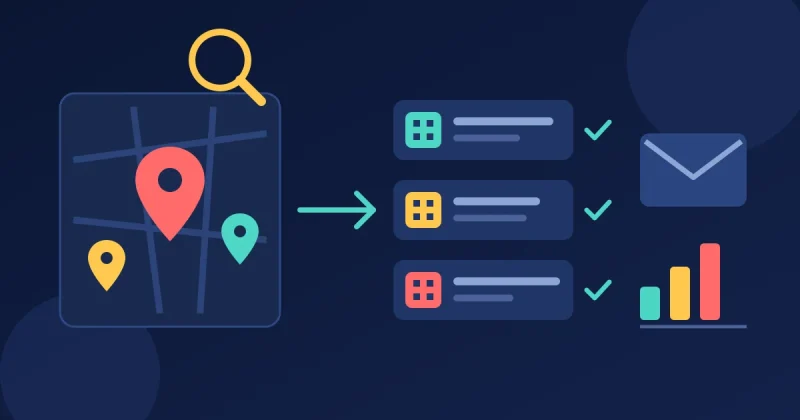
Agencies and B2B sellers often build lead lists from public sources such as Google Maps. A phone number on a business listing is not permission to send WhatsApp marketing. A safer path looks like this:
- Build and qualify your list first (our guide to extracting business leads from Google Maps explains how).
- Make the first contact on a channel that suits business outreach, such as a personal email or a phone call, and follow the rules for that channel in your country.
- Offer WhatsApp as an option: “Would it be easier to continue on WhatsApp?” Only move the chat there when they say yes.
- Log that consent in your CRM so your whole team knows.
Our 7-step prospecting system for local businesses shows how to pace this outreach so it stays personal.
A Safe WhatsApp Marketing Workflow in 7 Steps
Step 1: Set up a proper business profile
Use a dedicated business number, your real business name, logo, address, opening hours and website. A complete profile tells customers who is messaging them, which reduces “who is this?” blocks.
Step 2: Add opt-in points and record consent
Add a WhatsApp opt-in checkbox at checkout and on your forms, plus a click-to-chat button on your website. Store the consent date and source in your CRM against each contact.
Step 3: Segment your contacts
Split people by what they asked for and what they bought: new customers, repeat buyers, people waiting for a quote, past customers who have gone quiet. Small, relevant groups get better replies and fewer blocks than one big list.
Step 4: Write short, useful templates
Keep each message to one idea and one action. Use the customer’s name, say who you are in the first line, and add a clear opt-out. Here is a simple example:
Hi Priya, it’s Sam from Green Leaf Bakery. Your favourite sourdough is back this Saturday. Reply YES and we’ll keep one for you. Reply STOP to stop offers.
On the Cloud API, submit templates for approval and choose the right category. Labelling a promotion as “utility” to save money can get the template rejected or re-categorised.
Step 5: Send at a respectful pace
Start with your most engaged contacts, send during local daytime hours, and keep promotional messages to a few per month. Order updates, booking reminders and replies to questions can be sent whenever they are useful.
Step 6: Reply fast, with a human behind it
Marketing on WhatsApp is a two-way channel. Use quick replies or an AI assistant for common questions, but make it easy to reach a person. Our guide to AI agents for small business covers what to automate and what to keep in human hands.
Step 7: Watch quality signals and clean your list
On the Cloud API, check your phone number’s quality rating in WhatsApp Manager after each campaign. Track replies, blocks and opt-outs. Remove people who never reply and anyone who says STOP, and pause campaigns if your quality rating drops.
WhatsApp Message Ideas That Customers Welcome
- Order and delivery updates: “Your order has shipped” with a tracking link.
- Booking reminders: the day before an appointment, with a reply option to reschedule.
- Back-in-stock alerts: only for people who asked to be told.
- Cart reminders: one friendly nudge to customers who opted in at checkout. See our guide to abandoned cart recovery.
- Early access to sales: a short heads-up to your best customers before a public promotion.
- Feedback requests: one question after delivery, such as “How did we do, from 1 to 5?”
Connect WhatsApp to Your CRM and Other Channels
WhatsApp marketing for small business becomes much easier when every chat, consent record and order lives in one place. A CRM lets you see who opted in, what they bought and who already replied, so nobody gets the same offer twice. If monthly fees for separate tools are adding up, our guide to self-hosted CRM software compares the options. Combine WhatsApp with email for longer content, and see our list of WooCommerce marketing automation workflows for ideas you can adapt.
WhatsApp Marketing Compliance Checklist
- ☐ I use the WhatsApp Business app or the official WhatsApp Business Platform, not bulk-sender hacks
- ☐ My business profile is complete and uses my real business name
- ☐ Every contact actively opted in to WhatsApp messages from my business
- ☐ I record the date, source and wording of each opt-in
- ☐ Every promotional message says who I am and how to stop messages
- ☐ STOP requests are honoured quickly and logged
- ☐ Templates are in the correct category (marketing, utility or authentication)
- ☐ I know the current per-message cost for my customers’ countries
- ☐ I send promotions at a respectful pace and during local daytime hours
- ☐ I check replies, blocks and my quality rating after each campaign
- ☐ I have checked the privacy and marketing laws in my customers’ countries
Frequently Asked Questions
Is WhatsApp marketing legal for small businesses?
Yes, when you follow WhatsApp’s own policies and the privacy and marketing laws in your customers’ countries. In practice that means clear opt-in, honest messages that say who you are, and an easy way to stop. This is general information, not legal advice, so check with a local professional if you are unsure.
Can I message phone numbers I found on Google Maps?
A public phone number is not consent to receive WhatsApp marketing. Use the list to make a personal first contact on an appropriate channel, and only move to WhatsApp when the person agrees.
How much does WhatsApp marketing cost?
The WhatsApp Business app is free. On the WhatsApp Business Platform, Meta charges per delivered template message, with prices that depend on the country and message category, while replies inside the 24-hour customer service window are free. Check Meta’s pricing page for current rates.
Why do WhatsApp business numbers get banned?
The most common reasons are messaging people who did not opt in, sending too many messages too fast, using unofficial bulk tools, and getting many blocks or reports. A clean, opted-in list and a respectful pace are the best protection for WhatsApp marketing for small business.
Run Compliant WhatsApp Campaigns from One Dashboard
If you want WhatsApp, email, SMS and your customer records in one place, Auto Lead Pilot AI is self-hosted software with an official Meta WhatsApp Cloud API workstation, a unified social inbox, a CRM with a visual sales pipeline, contact segmentation and tagging, email and SMS campaigns, live chat with an AI chatbot lead qualifier, and appointment reminders. It runs on your own server, so your customer data stays with you. It is a one-time payment from $699 for one domain, with no monthly fees.
Need to find and qualify local businesses first? DataXtract Pro is a one-time $30 web app that extracts business names, phones, emails, websites and reviews from Google Maps, with email verification and a WhatsApp number checker, so you can plan personal, permission-based outreach. Both are covered by our refund policy, and if you are not sure which fits your business, just contact us and we will help.