Choosing the right Windows inventory software, billing tool, and POS system is one of the biggest decisions a small business makes. Whether you run an e-commerce venture, a brick-and-mortar store, or a service-based operation, success hinges on robust inventory control, streamlined billing, and effective point-of-sale (POS) systems. Without strong solutions in these areas, small businesses often face operational bottlenecks, financial inaccuracies, and stunted growth.
For many small business owners, dedicated Windows software offers a powerful solution, providing stability, security, and often offline capabilities. This guide explores how leveraging the right Windows software can transform your inventory, billing, and POS processes, turning potential headaches into streamlined successes.
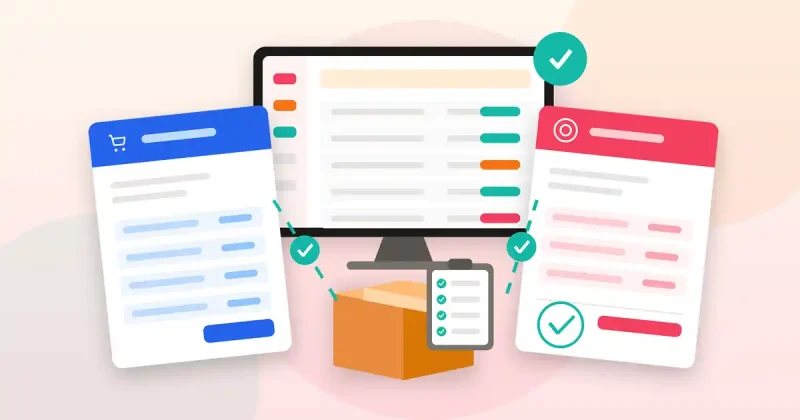
The Core Operational Triad: Inventory, Billing, and POS
Understanding these three interconnected components is crucial:
- Inventory Management: More than just counting items, it involves real-time stock levels, product movement analysis, supplier relations, optimal reorder points, and preventing both overstocking and stockouts. Efficient inventory directly impacts cash flow and customer satisfaction.
- Billing and Invoicing: This is about getting paid. It encompasses generating accurate invoices, tracking outstanding payments, managing recurring charges, and maintaining clear financial records. A smooth billing process ensures consistent cash flow and builds customer trust.
- Point of Sale (POS): The transaction hub where customers make purchases. A robust POS system handles sales quickly and accurately, manages returns, applies discounts, and often integrates with inventory to instantly update stock levels, forming the front line of your customer experience.
The Hidden Costs of Manual Business Management
Many small businesses begin with manual methods—spreadsheets for inventory, paper invoices, basic cash registers. While seemingly cheap initially, these quickly become unsustainable, introducing significant risks:
- Time Drain & Errors: Manually updating records, creating invoices, and reconciling sales is incredibly time-consuming and highly prone to human error, leading to inaccuracies and disputes.
- Lack of Real-time Insight: Manual systems offer delayed information. You might discover an item is out of stock only when a customer wants it, or an invoice is overdue when it’s critically late, hindering timely decisions.
- Poor Customer Experience: Slow checkouts, incorrect pricing, or delays in billing can frustrate customers and damage your brand reputation.
- Scalability Issues: As your business grows, manual systems become exponentially more complex and prone to collapse, severely limiting your ability to expand efficiently.
Why Dedicated Windows Software is a Game-Changer
Investing in specialized Windows software for inventory, billing, and POS offers transformative benefits:
- Automation & Accuracy: Repetitive tasks like stock updates, invoice generation, and tax calculations are automated, saving time and minimizing errors.
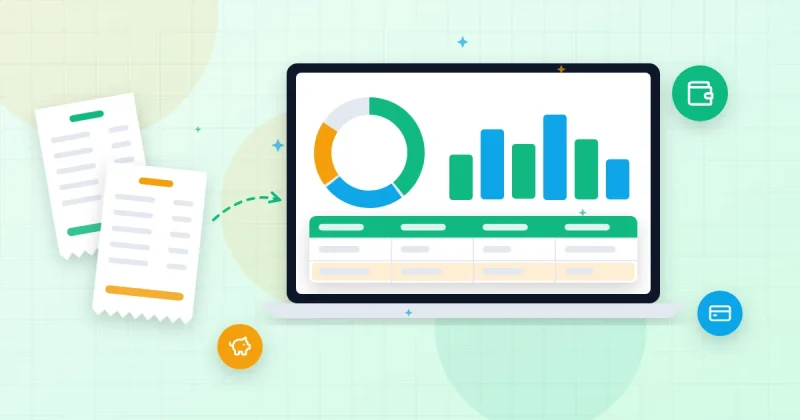
- Real-time Data & Reporting: Gain immediate, accurate insights into sales, stock levels, and financial performance, enabling informed strategic decisions.
- Improved Cash Flow: Automated invoicing, payment tracking, and reminders ensure timely payments, leading to healthier cash flow.
- Enhanced Customer Experience: Faster transactions, accurate billing, and efficient order fulfillment contribute to happier, more loyal customers.
- Scalability & Security: These solutions are designed to grow with your business, accommodating increased volume while offering better data protection through backup, permissions, and encryption.
Key Features for Windows Inventory Software
When selecting a Windows-based inventory solution, prioritize these features:
- Comprehensive Product Management: Ability to add, edit, and categorize products with detailed descriptions, SKUs, images, and multiple pricing tiers.
- Real-time Stock Tracking: Visibility into current stock levels, tracking of incoming/outgoing inventory, and automated low-stock alerts to prompt reorders.
- Supplier & Purchase Order Management: Efficiently manage supplier information, create purchase orders, and track lead times.
- Barcode Integration: Support for barcode scanning for quick and accurate product identification during receiving, sales, and stock takes, enhancing efficiency.
- Reporting & Analytics: Generate valuable reports on stock valuation, inventory turnover, best-selling products, and slow-moving items to optimize purchasing decisions.
Essential Features for Billing Software for Small Business
A robust billing and invoicing software solution on Windows should offer:
- Customizable Invoice Templates: Professional, branded invoices that reflect your company’s identity.
- Client & Payment Management: A centralized database for customer information, purchase history, and flexible payment terms, with easy tracking of paid, partially paid, and overdue invoices.
- Automated Recurring Invoices: For subscription services or ongoing contracts, automatic invoice generation and delivery save significant administrative time.
- Expense Management: Ability to record and categorize business expenses, providing better financial oversight and simplifying tax preparation.
- Tax Calculation & Reporting: Automatic calculation of applicable taxes and generation of financial reports like sales summaries, outstanding balances, and profit/loss statements.
What Makes Great POS Software for Windows
Your point-of-sale system is critical for customer interaction. Look for these attributes:
- Intuitive & Fast Interface: User-friendly design for quick staff training and rapid processing of sales, discounts, and various payment methods, minimizing customer wait times.
- Seamless Payment Integration: Compatibility with diverse payment processors for credit/debit cards, mobile payments, and contactless options.
- Refunds & Returns Management: A straightforward process for handling returns, exchanges, and issuing refunds efficiently.
- Customer Loyalty & Promotions: Ability to manage loyalty points, gift cards, and promotional offers directly at the checkout.
- Employee Management: Track individual sales performance, manage shifts, and set user permissions for enhanced accountability.
- Integrated Operations: Crucially, it must integrate directly with your inventory and billing systems to ensure real-time updates across all aspects of your business, from stock levels to financial records.
Introducing Billify: Your All-in-One Windows Solution
Finding a solution that seamlessly integrates all these critical functions can be transformative. This is precisely where Billify – Smart Inventory, Billing and POS Windows Software excels. Designed specifically for small businesses, Billify provides a comprehensive desktop application that brings together product management, invoicing, sales tracking, real-time stock alerts, customer and supplier management, robust reporting, and efficient barcode workflows. By choosing a dedicated Windows software like Billify, you gain the stability and control of a local application combined with powerful features needed to run your operations smoothly and efficiently.
Beyond Core Operations: Strategic Enhancement
While core inventory, billing, and POS are fundamental, strategic growth often requires looking beyond immediate transactions. Understanding market trends and competitor offerings, for example, can significantly impact your inventory and pricing. Tools like All In One Smart Extractor Windows Software can be invaluable here, enabling you to extract business data, conduct e-commerce research, and generate multi-source leads. This intelligence helps identify popular products, optimize pricing, or find new suppliers, directly influencing your inventory strategy.
For broader financial oversight and strategic planning, a comprehensive suite like Pro Fin Suite Windows Software can complement your billing system. While Billify handles daily invoicing and sales, Pro Fin Suite offers a wider array of finance, business management, and productivity tools that assist with budgeting, advanced financial analysis, and other aspects of running your business more effectively.
If you also sell online, see our guide on how to automate your WooCommerce store.
Want a deeper checklist? Read our guide to inventory management for small business, covering stock alerts, invoices, reorders and reports on a Windows PC.
Getting Started: Tips for Smooth Implementation
Transitioning to new software can seem daunting, but a structured approach ensures a seamless process:
- Data Backup & Phased Rollout: Always back up existing data. Consider a phased rollout, starting with one module and gradually introducing others.
- Comprehensive Team Training: Ensure all staff members using the software receive adequate training. User adoption is paramount for success.
- Consistent Data Entry & Review: Maintain consistency by recording all transactions promptly and regularly reviewing reports for accuracy.
- Leverage Support: Utilize the software’s support resources or community forums for any challenges encountered.
Conclusion
For small businesses, efficiency and accurate data are the bedrock of sustained growth. Dedicated Windows inventory software, billing, and POS tools aren’t just a convenience; they’re a strategic necessity. Embracing solutions like Billify – Smart Inventory, Billing and POS Windows Software, complemented by data intelligence tools like All In One Smart Extractor Windows Software and broader financial management solutions like Pro Fin Suite Windows Software, transforms operational challenges into competitive advantages. Take control of your business, streamline your processes, and unlock its full potential today.