
Unlock Growth: Why Automating Your WooCommerce Store is a Game-Changer
Running a WooCommerce store as a small business owner often feels like a juggling act, and the fastest way to get your time back is to automate your WooCommerce store. Right now you’re probably managing products, processing orders, responding to customer inquiries, updating inventory, and trying to find time for marketing – all simultaneously. The sheer volume of repetitive, manual tasks can quickly become overwhelming, eating into your valuable time and stifling your growth potential. What if you could offload many of these tasks, freeing yourself to focus on strategy, product development, and scaling your business?
The answer lies in business automation. For WooCommerce store owners, automation isn’t just a luxury; it’s a necessity for staying competitive, improving efficiency, and delivering an exceptional customer experience. By strategically automating key workflows, you can transform your online store into a lean, mean, revenue-generating machine that works for you, even when you’re not actively at the helm.
This comprehensive guide will walk you through the essential areas where automation can make the biggest impact on your WooCommerce store. We’ll explore practical strategies, highlight specific tools, and show you how to implement automation to save time, reduce errors, and ultimately boost your sales and customer satisfaction.
Why Automation is Essential for Your WooCommerce Business
Before diving into the ‘how,’ let’s solidify the ‘why.’ The benefits of automating your WooCommerce store extend far beyond simply saving a few minutes here and there:
- Reclaim Your Time: This is perhaps the most obvious benefit. By automating repetitive tasks like order status updates, email confirmations, or stock alerts, you free up countless hours that can be reinvested into strategic growth initiatives, marketing campaigns, or even personal time.
- Reduce Errors and Improve Accuracy: Manual data entry and task execution are prone to human error. Automation ensures consistency and accuracy across all your operations, from pricing updates to shipping notifications, leading to fewer mistakes and happier customers.
- Enhance Customer Experience: Automated processes mean faster responses, timely updates, and personalized communications. This leads to a smoother, more professional customer journey, building trust and encouraging repeat purchases.
- Boost Scalability: As your business grows, manual processes become bottlenecks. Automation allows your store to handle increased order volumes and customer interactions without requiring a proportional increase in your workload or staff.
- Gain Deeper Insights: Many automation tools come with reporting features that provide valuable data on your store’s performance, customer behavior, and workflow efficiency, helping you make informed decisions.
- Improve Cash Flow: Automated invoicing, payment reminders, and abandoned cart recovery can directly impact your bottom line by securing sales and ensuring timely payments.
Key Areas for WooCommerce Automation
To maximize the impact of automation, it’s crucial to identify the areas within your WooCommerce store that consume the most time and are most prone to manual errors. Here are the primary categories where automation can deliver significant returns:
- Order Management & Fulfillment: From processing new orders to updating statuses and sending shipping notifications.
- Product Management: Keeping product information current, managing stock levels, and automating digital product delivery.
- Customer Engagement & Marketing: Personalizing communication, recovering abandoned carts, and building loyalty.
- Inventory & Stock Management: Tracking stock, setting alerts, and managing supplier relationships.
- Reporting & Data Exports: Generating performance reports and exporting data for accounting or analysis.
Practical Strategies & Tools for Automation
1. Streamlining WooCommerce Order Management & Fulfillment
The moment a customer clicks ‘purchase,’ a series of critical steps begins. Automating these can significantly improve efficiency and customer satisfaction.
- Automated Order Status Updates: Automatically change order statuses (e.g., from ‘Processing’ to ‘Completed’ once shipped) and notify customers.
- Personalized Order Confirmations: Send branded, personalized emails immediately after a purchase, including order details, tracking information, and next steps.
- Shipping Label Generation: Integrate with shipping carriers to automatically generate labels based on order information.
- Fraud Detection: Implement tools that automatically flag suspicious orders for review.
For robust order control and automation, consider a solution like WooFlow Manager. This WooCommerce store automation plugin allows you to define custom workflows for order status changes, ensuring that your customers are always informed and your fulfillment process is seamless. It helps you automate order control, ensuring that every step, from purchase to delivery, is handled efficiently and without manual intervention.
2. Automating Product & Inventory Management
Keeping your product catalog accurate and your inventory levels optimized is crucial for any e-commerce store.
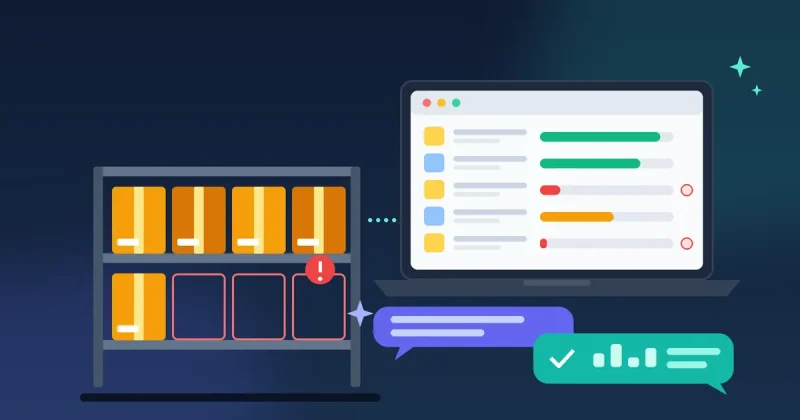
- Automated Stock Alerts: Receive notifications when product stock falls below a certain threshold, prompting you to reorder.
- Price & Stock Synchronization: If you source products from multiple suppliers or marketplaces, automate price and stock updates to avoid overselling or displaying outdated information.
- Digital Product Delivery: For digital goods, automate the delivery of download links or license keys immediately after purchase.
- Product Updates: Schedule automatic updates for product descriptions, images, or pricing based on external data feeds or promotions.
WooFlow Manager is invaluable here for its product automation capabilities, especially for businesses selling digital goods. Its license delivery feature can automatically issue unique licenses to customers upon purchase, eliminating a significant manual task and ensuring instant access to their purchased software or digital content.
3. Enhancing Customer Engagement & Marketing
Automation can transform how you interact with your customers, turning one-time buyers into loyal advocates.
- Abandoned Cart Recovery: Automatically send a series of reminder emails to customers who leave items in their cart, often including a discount to encourage completion.
- Post-Purchase Follow-ups: Schedule emails to thank customers, solicit reviews, recommend related products, or offer exclusive discounts on their next purchase.
- Customer Loyalty Programs: Automate the allocation of reward points and the delivery of loyalty-based discounts or freebies.
- Birthday & Anniversary Messages: Delight customers with personalized greetings and special offers on their special days.
- Segmented Email Campaigns: Automatically add customers to specific email lists based on their purchase history or behavior, allowing for highly targeted marketing.
Again, WooFlow Manager excels with its recovery workflows and rewards features, making it easier to re-engage customers and build loyalty directly within your WooCommerce store. For businesses looking to take their customer engagement and lead generation to the next level, integrating with a broader platform like Auto Lead Pilot AI can provide even more powerful automation. Auto Lead Pilot AI is an all-in-one lead generation and business automation platform that can manage sophisticated campaigns, CRM, and customer engagement across various channels, extending beyond your immediate WooCommerce environment to truly automate your entire customer lifecycle and lead nurturing processes.
4. Automating Reporting & Data Exports
Understanding your store’s performance is vital for making informed business decisions. Automation can ensure you always have access to the data you need.
- Scheduled Performance Reports: Automatically generate and email daily, weekly, or monthly reports on sales, popular products, customer acquisition, and more.
- Automated Data Exports: Export order, customer, or product data to accounting software, CRM systems, or marketing platforms on a regular schedule.
With WooFlow Manager, you can leverage its built-in reporting and export functionalities to automate the collection and distribution of crucial business data, saving you time and ensuring you always have up-to-date insights into your store’s health.
Setting Up Your Automation Workflow: A Step-by-Step Guide
Ready to start automating? Follow these steps to implement effective workflows in your WooCommerce store:
- Identify Repetitive Tasks: List all the manual tasks you perform regularly. Prioritize those that are time-consuming, error-prone, or critical for customer satisfaction.
- Define Your Goals: For each task, clearly state what you want to achieve with automation (e.g., “reduce abandoned carts by 15%,” “save 5 hours per week on order processing”).
- Choose the Right Tools: Select plugins and software that integrate well with WooCommerce and offer the specific automation features you need. As discussed, WooFlow Manager is a strong contender for core WooCommerce automation, while Auto Lead Pilot AI can extend your capabilities for broader business automation and lead generation.
- Map Out Your Workflows: Visually sketch out the ‘if this, then that’ logic for each automation. For example: “IF order status is ‘Completed’, THEN send ‘Rate Your Purchase’ email.”
- Test Thoroughly: Before going live, test every automated workflow to ensure it functions as intended and doesn’t create unintended consequences. Use test orders and dummy data.
- Monitor and Refine: Automation isn’t a set-it-and-forget-it process. Regularly review your automated workflows’ performance. Are they achieving your goals? Are there opportunities for further optimization?
Beyond the Basics: Advanced Automation Considerations
Once you’ve mastered the foundational automation, consider these advanced strategies:
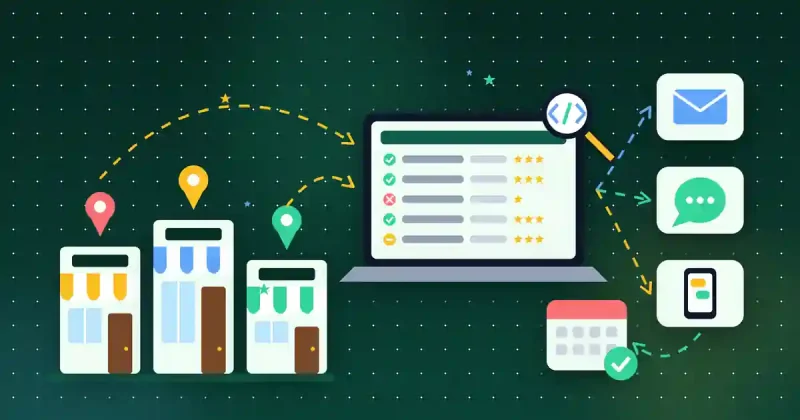
- Integration with External Services: Connect WooCommerce with other tools like marketing automation platforms (e.g., Auto Lead Pilot AI for CRM and lead nurturing), accounting software, or customer support systems to create a truly unified business ecosystem.
- Personalization at Scale: Use dynamic content in your automated emails and on your website to tailor messages based on customer segments, purchase history, or browsing behavior.
- A/B Testing Automation Sequences: Experiment with different email subject lines, content, and timings in your automated campaigns to discover what resonates best with your audience.
Want to skip the dashboards altogether? You can now manage WordPress with AI: Site Commander MCP lets you ask Claude to update products, check orders and fix SEO by chatting, with secure login and a full activity log.
If you also want your site itself running fast and secure, read our WordPress tips for speed, security and SEO.
Conclusion: Your Automated WooCommerce Future Awaits
Embracing automation for your WooCommerce store is not about replacing human interaction; it’s about empowering you to deliver more value and focus on the aspects of your business that truly require your unique expertise. By automating repetitive tasks, you’ll not only save countless hours and reduce errors but also significantly improve your customer experience, boost sales, and set your small business on a path to sustainable growth and scalability.
Tools like WooFlow Manager provide an excellent starting point for robust WooCommerce-specific automation, while solutions like Auto Lead Pilot AI can elevate your entire business automation strategy. Start small, identify your biggest pain points, and gradually introduce automation into your workflows. The future of your WooCommerce store is efficient, customer-centric, and automated – it’s time to build it.