The Backbone of Small Business: Why Inventory & Billing Matter
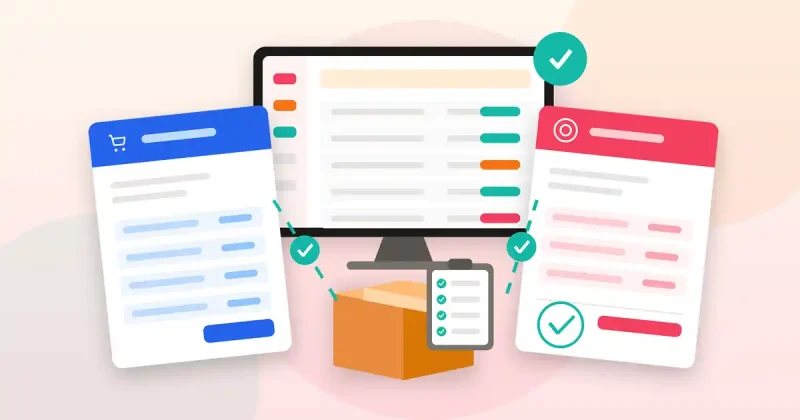
For any small business, especially those dealing with physical products or services that require invoicing, efficient inventory and billing management isn’t just a convenience – it’s the backbone of profitability and customer satisfaction. Imagine trying to run a bustling online store or a local boutique with stock counts scribbled on paper or invoices manually typed out. The potential for error is immense, the time wasted is significant, and the insights needed for smart business decisions are virtually non-existent.
This is where dedicated Windows software for inventory and billing steps in. Far from being an expensive luxury, it’s an indispensable tool that empowers small business owners to regain control, boost efficiency, and lay a solid foundation for growth. This guide will walk you through the critical role of these systems, what features to prioritize, and how they can revolutionize your day-to-day operations.
Common Challenges Small Businesses Face Without Proper Systems
- Manual Tracking Errors: Relying on spreadsheets or physical ledgers is prone to human error, leading to inaccurate stock counts, incorrect invoices, and ultimately, lost revenue.
- Time-Consuming Processes: Generating invoices, checking stock levels, and reconciling sales can eat up valuable time that could be spent on growth activities.
- Lack of Real-time Insights: Without an integrated system, it’s hard to know which products are selling best, when to reorder, or who owes you money at any given moment.
- Customer & Supplier Management Headaches: Keeping track of customer purchase history, outstanding balances, and supplier details becomes a complex mess.
- Compliance & Reporting Difficulties: Preparing for tax season or generating accurate financial reports can turn into a nightmare without organized data.
- Inefficient Point of Sale (POS): Slow checkout processes or difficulty managing returns can frustrate customers and staff alike.
Why Choose Windows Software for Your Business Operations?
In a world increasingly dominated by cloud-based solutions, Windows desktop software still holds significant advantages, particularly for small businesses seeking reliability, local control, and a familiar user experience.
- Reliability and Offline Access: Windows software often provides robust offline functionality, meaning your business operations won’t grind to a halt if your internet connection fails. This is critical for POS systems or daily inventory checks.
- Local Data Control & Security: For many small businesses, keeping sensitive data on local servers or machines offers a greater sense of security and direct control over their information, reducing reliance on third-party cloud providers.
- Integration with Existing Hardware: Most small businesses already operate on Windows PCs. Dedicated Windows software seamlessly integrates with existing peripherals like barcode scanners, receipt printers, and cash drawers, making setup straightforward and cost-effective.
- Familiar User Interface: The Windows environment is familiar to millions, reducing the learning curve for new software and making it easier for staff to adapt.
- Often More Affordable: While cloud solutions often come with recurring subscription fees, many Windows software packages offer a one-time purchase or a more predictable licensing model, which can be beneficial for managing budgets.
Essential Features to Look for in Inventory & Billing Software
To truly streamline your operations, your chosen Windows software should offer a comprehensive set of features. Don’t settle for less when it comes to these core functionalities:
Inventory Management Capabilities
- Product Database: Centralized storage for all product information, including SKUs, descriptions, categories, pricing, and images.
- Stock Level Tracking: Real-time updates on inventory quantities across different locations or warehouses.
- Low Stock Alerts: Automated notifications when products reach predefined reorder points, preventing stockouts.
- Barcode Support: Seamless integration with barcode scanners for quick and accurate receiving, selling, and stock counting.
- Inventory Adjustments: Easy ways to handle damaged goods, returns, or stock discrepancies.
- Supplier Management: Track supplier details, purchase orders, and payment terms.
Billing & Sales Features
- Invoice Generation: Create professional invoices, quotes, and sales orders quickly and accurately.
- Point of Sale (POS) Functionality: For retail environments, a user-friendly interface for processing sales, managing returns, and handling various payment methods.
- Customer Management (CRM Lite): Keep track of customer contact information, purchase history, and outstanding balances.
- Tax Management: Automated calculation of sales taxes and the ability to generate tax reports.
- Payment Tracking: Record payments received, manage partial payments, and track overdue invoices.
Reporting & Analytics
- Sales Reports: Understand sales performance by product, customer, or time period.
- Inventory Valuation: Get an accurate financial picture of your current stock.
- Profit & Loss Statements: Basic financial reporting to gauge business health.
- Customizable Reports: The ability to tailor reports to specific business needs.
Transforming Your Business with the Right Windows Solution
Adopting a robust Windows inventory and billing software isn’t just about digitizing existing processes; it’s about fundamentally transforming how your business operates:
- Enhanced Accuracy: Say goodbye to manual errors. Automated systems ensure accurate stock counts, precise invoicing, and correct financial records.
- Significant Time Savings: Tasks that once took hours, like inventory audits or invoice generation, can now be completed in minutes, freeing up valuable time for strategic planning or customer engagement.
- Improved Cash Flow: Faster, more accurate invoicing and better tracking of receivables mean you get paid quicker, improving your business’s financial liquidity.
- Optimized Inventory: With real-time data and low stock alerts, you can maintain optimal inventory levels, reducing carrying costs and preventing lost sales due to stockouts.
- Better Customer Service: Quick access to customer purchase history allows for personalized service and efficient handling of returns or exchanges.
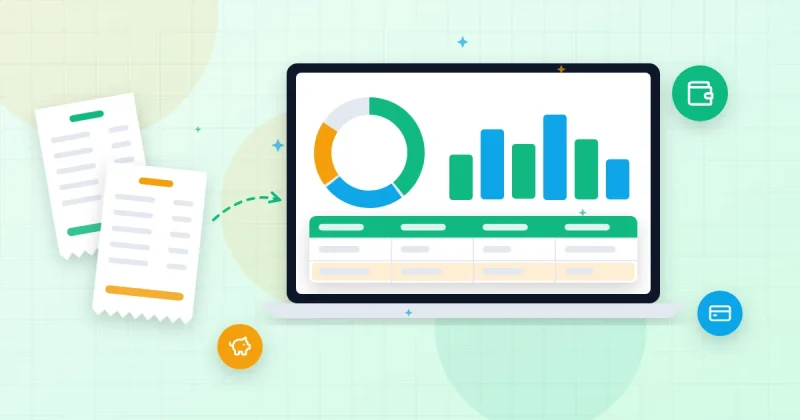
- Informed Decision-Making: Comprehensive reports provide clear insights into sales trends, product performance, and overall business health, enabling data-driven decisions.
Introducing a Comprehensive Solution: Billify – Smart Inventory, Billing and POS Windows Software
For small businesses seeking to harness these benefits, a powerful and user-friendly solution like Billify – Smart Inventory, Billing and POS Windows Software offers an all-in-one platform. Designed specifically for the Windows environment, Billify brings together all the critical features you need to manage your products, invoices, sales, and customer relationships efficiently.
With Billify, you can effortlessly manage your product database, track inventory levels with automated stock alerts, and handle all your billing needs from quotes to final invoices. Its integrated POS functionality makes sales transactions smooth and quick, complete with barcode workflows to speed up checkout and inventory updates. Furthermore, Billify allows you to manage customer and supplier information, generate essential sales and inventory reports, and ensure your business operations are running like a well-oiled machine. It’s an ideal choice for any small business looking for a reliable, feature-rich Windows solution to streamline their core operations.
Expanding Your Business Toolkit: Beyond Inventory & Billing
While inventory and billing are foundational, a thriving small business often requires a broader suite of tools. For those who need more extensive financial management, productivity enhancements, or specialized business utilities all within the Windows ecosystem, consider complementing your operations with software like Pro Fin Suite Windows Software. Pro Fin Suite offers a robust collection of tools covering finance, business management, office productivity, and more, helping you tackle everything from detailed financial analysis to project planning, all from your Windows desktop.
Getting Started: Implementing Your New System
Adopting new software can seem daunting, but with a structured approach, it’s a smooth transition:
- Data Migration: If you’re moving from an existing system (even spreadsheets), plan how to import your current product, customer, and supplier data.
- Hardware Setup: Connect and configure any necessary hardware, such as barcode scanners, receipt printers, or cash drawers.
- Staff Training: Ensure all relevant staff members are adequately trained on how to use the new software effectively.
- Initial Inventory Setup: Conduct an initial inventory count and input all starting stock levels accurately.
- Regular Backups: Establish a routine for backing up your data to protect against loss.
Conclusion: Empower Your Small Business Today
In the competitive landscape of small business, efficiency and accuracy are paramount. Investing in the right Windows inventory and billing software isn’t just an expense; it’s an investment in your business’s future. By automating tedious tasks, eliminating errors, and providing invaluable insights, solutions like Billify – Smart Inventory, Billing and POS Windows Software empower you to focus on what you do best: growing your business and serving your customers.
Take the leap, embrace the power of dedicated Windows software, and watch your small business thrive with unparalleled organization and control.
Looking for simple billing and stock software for your shop? Billify handles invoices, POS sales, stock alerts and backups on your Windows PC for a one-time $29, with no monthly fees.