
Description
Claude AI WordPress Plugin: Manage WordPress & WooCommerce by Chat
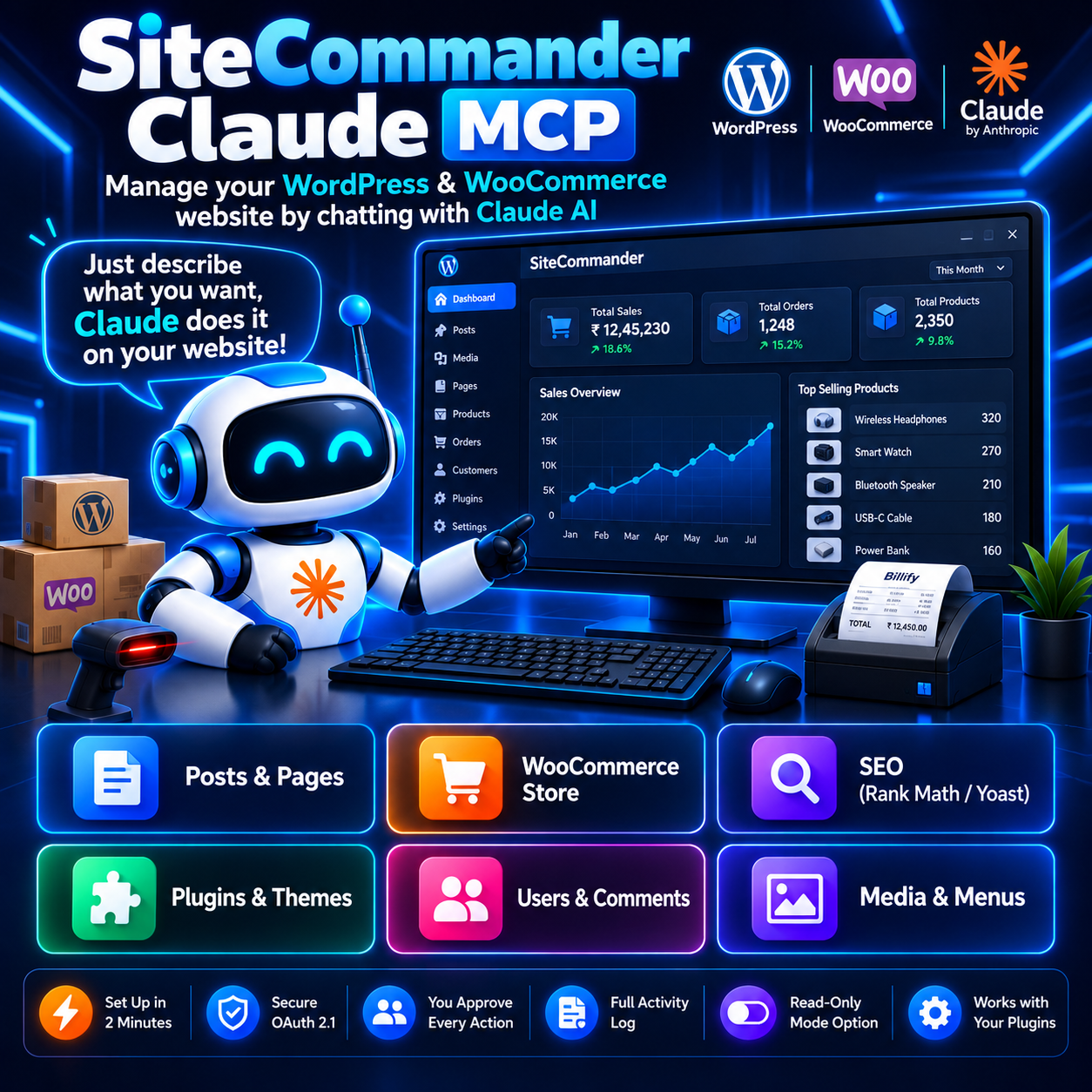
Site Commander MCP is a Claude AI WordPress plugin that connects your website to Claude, the AI assistant by Anthropic. Instead of clicking through dozens of admin screens, you type what you want in plain language, and Claude does it on your website.
“Write a blog post about our summer sale and publish it on Monday at 9 AM.” “Add a T-shirt product in sizes S to XL, colours black and white, at $25.” “Which orders are still processing? Mark the shipped ones as completed.” “Check the SEO of my homepage and fix the title and description.” “Delete the spam users who registered yesterday.”
It works with Claude on the web, desktop app, mobile app and Claude Code.
✍️ Posts, pages & content
- Create, edit, publish, schedule, duplicate and delete posts, pages and any custom post type
- Writes block-editor content and works with modern block themes
- Schedule posts for a future date and time, and list everything scheduled
- Bulk actions: publish, draft, trash or delete many items at once
- View and restore old revisions
- Set featured images, categories, tags, custom fields and page templates
- Search and filter by status, author, date, category or keyword
🛒 WooCommerce store management
- Products: create, edit, duplicate and delete simple, variable, grouped and external products
- Variations: create all size/colour combinations automatically, then edit their price, stock and images
- Bulk price changes: for example “increase all prices by 10%” or “set sale price to $19”
- Stock: manage quantities and stock status; see low-stock and out-of-stock reports
- Orders: view, search, create manual orders, change status, add notes, issue refunds (Claude asks you to confirm first)
- Customers: view, create and update customer details and addresses
- Coupons: create, edit and delete discount codes with all WooCommerce rules
- Sales reports: revenue, orders, average order value and top-selling products for any date range
- Store settings: currency, store address, payment methods and shipping zones
🔍 SEO (works with Rank Math and Yoast SEO)
- Set the SEO title, meta description, focus keyword, robots, canonical and social-share details for any page or product
- Page SEO audit: checks the live page for title, description, keyword use, headings, word count, image alt text, links, schema, indexing and broken links, with a score and a fix for every problem
- Whole-site SEO report: audits your latest pages and lists the worst first
- Redirects: add, list and delete redirects (Rank Math)
- Sitemap check: confirms your XML sitemap works and counts its pages
- SEO plugin health check: detects when the SEO plugin isn’t set up correctly and fixes it
🔌 Plugins & themes
- Search the WordPress.org directory, then install, activate, deactivate, update or delete plugins and themes
- Turn automatic updates on or off
- Change theme customizer settings and custom CSS
- See which updates are available for WordPress, plugins and themes
⚙️ Works with your other plugins too
- Read and change the settings of almost any plugin: caching (LiteSpeed, WP Rocket), SEO, forms, security and more
- Use other plugins’ own APIs, which covers site editor templates, global styles, widgets and many other features
- Passwords, API keys and license keys of other plugins always stay hidden from the AI
👥 Users, comments, media, menus & settings
- Users: list, create, update and delete; filter by role or sign-up date; send password reset emails
- Comments and reviews: approve, mark as spam, reply, edit or delete, including in bulk
- Media library: upload from a link, add alt text and captions, delete files
- Navigation menus: create menus, add pages and links, assign menu locations
- Site settings: site title, tagline, timezone, date format, homepage, permalinks, comment settings and more
- Clear caches, and check site health and server details
🔒 Why this Claude AI WordPress plugin is built for safety
- Secure one-click connection using OAuth 2.1, the industry-standard method. You never give your password to the AI.
- Claude only gets the permissions of the user who approves it. An editor’s connection can’t install plugins.
- You approve every connection on your own website, and can disconnect any time with one click.
- Read-only mode: Claude can look but not change anything.
- Turn each area on or off: for example, allow content but block plugins and users.
- Administrator roles are protected: Claude can’t make anyone an admin unless you allow it.
- Secrets stay hidden: passwords, API keys and license keys are never shown to the AI.
- No code execution or file editing: your server stays safe.
- Activity log: every action Claude takes is recorded, showing who did what, when, and the result.
- Rate limiting protects your site from too many requests.
🧪 Test Connection page
One click shows:
- whether Claude can reach and sign in to your website
- a full table of what Claude may view, create, edit and delete, for every area and every installed plugin
- the reason anything is blocked, and how to fix it, including step-by-step help when your hosting firewall blocks Claude
⚡ Set up in 2 minutes
- Install and activate the plugin, then enter your license key.
- Copy your personal connector link from Site Commander MCP → Dashboard.
- In Claude, go to Settings → Connectors → Add custom connector, and paste the link.
- Click Connect, log in to your website and click Approve. Done.
📋 Requirements
- WordPress 6.2 or newer, PHP 7.4 or newer
- HTTPS (SSL certificate) and “pretty” permalinks (any setting except “Plain”)
- A Claude plan that supports custom connectors
- Optional: WooCommerce, Rank Math SEO or Yoast SEO for the store and SEO features
🎁 What you get
- Site Commander MCP plugin
- License key for your website
- Automatic updates for licensed sites
- Support from BundleWP
Frequently Asked Questions
Which Claude apps does it work with?
Claude on the web, the desktop app, the mobile app and Claude Code. You need a Claude plan that supports custom connectors.
What does my website need?
WordPress 6.2 or newer, PHP 7.4 or newer, HTTPS (an SSL certificate) and “pretty” permalinks (any setting except “Plain”). WooCommerce, Rank Math SEO or Yoast SEO are optional and unlock the store and SEO features.
Is it safe to let Claude change my site?
You approve every connection on your own website with a secure OAuth 2.1 login, and Claude only gets the permissions of the user who approves it. You can use read-only mode, switch each area on or off, and every action is saved in an activity log. Passwords, API keys and license keys are never shown to the AI, and the plugin cannot run code or edit files.
How long does setup take?
About 2 minutes: install the plugin, enter your license key, copy your connector link and add it in Claude under Settings → Connectors. Our step-by-step guide shows you how to connect Claude to WordPress safely.
How do I get it after I pay?
It costs $29 for one website license, with automatic updates for licensed sites and support from BundleWP. Nothing is shipped: your download and license key appear in your account.
What if it isn’t right for me?
Your purchase is covered by our refund policy. Questions before you buy? Contact us or email support@bundlewp.com.
Ready to run your site by chat?
Click Buy Now to get Site Commander MCP for $29 and connect Claude to your WordPress site in about 2 minutes.


Reviews
There are no reviews yet.