Online stores and marketplaces are full of useful information: prices, product names, specifications, stock status, ratings and customer reviews. If you sell online, source products, run an agency or do market research, this data can tell you how to price, what to stock and what customers really think.
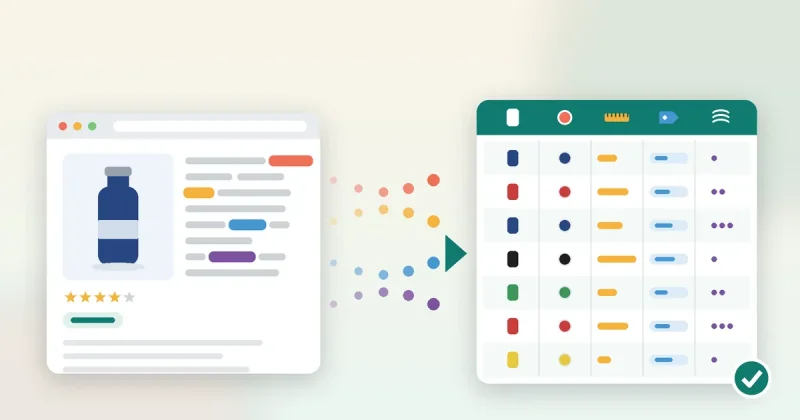
The problem is that it is spread across hundreds or thousands of pages. Copying it by hand is slow and full of mistakes. That is the job of product data extraction software: it collects product details from web pages and puts them into a clean, structured file you can sort, filter and analyse.
This guide explains what product data extraction software does, what data you can collect, how to choose a tool, and a simple process any small or mid-sized business can follow.
What is product data extraction software?
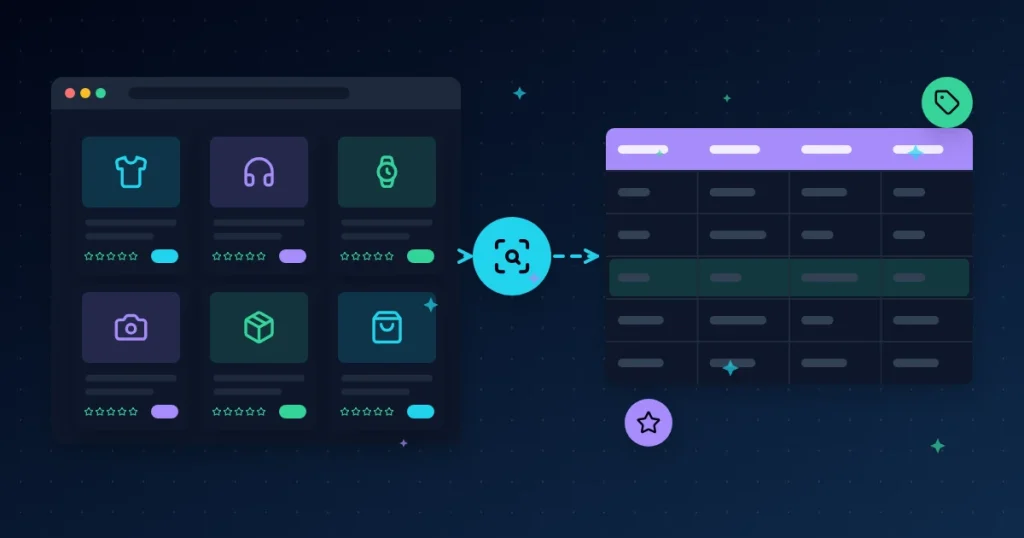
Product data extraction software (sometimes called a product scraper or e-commerce data extractor) visits product listing pages and product detail pages, reads the information on them, and saves it in fields such as “name”, “price” and “rating”. The result is usually exported as a CSV or Excel file.
Instead of opening 500 product pages one by one, you give the tool a search, a category page or a list of URLs, and it builds the table for you.
What product data can you extract?
Exactly what you can collect depends on the website and the tool, but common fields include:
- Basic details: product title, brand, category and product URL
- Pricing: current price, original price and discount
- Specifications (attributes): size, colour, material, model number, weight and other spec-sheet values
- Social proof: star rating, number of ratings and review text
- Seller information: seller or store name and links
- Availability: in stock, out of stock or limited stock
Extracting specifications into separate columns is often called attribute extraction. It is especially useful when you want to compare many similar products side by side.
Who uses product data extraction?
- Online store owners who want to check competitor prices before setting their own.
- Resellers and dropshippers looking for products with strong ratings and healthy demand.
- Brands monitoring how their products are listed, priced and reviewed by different sellers.
- Agencies and consultants preparing market research reports for clients.
- Product teams reading hundreds of reviews to find common complaints and feature requests.
Common use cases
1. Competitor price tracking
Collect prices for the same or similar products across several stores, then repeat every week. You’ll quickly see who discounts, how often, and where your own prices sit.
2. Product research before you stock
Extract a category’s best sellers with their ratings and review counts. Products with many reviews and good ratings show proven demand; products with poor ratings show gaps you might fill.
3. Review analysis
Export review text and look for repeated words such as “battery”, “size” or “delivery”. This turns thousands of opinions into a short list of what buyers care about.
4. Catalogue building and clean-up
Pull structured specifications to fill gaps in your own product listings, or check that your listings match the information on supplier sites.
How to choose product data extraction software
Before you pay for any tool, check these points:
- Supported sources: does it work with the marketplaces and sites you actually need?
- Structured output: are results split into clear columns, and can you export to CSV or Excel?
- Bulk input: can you paste a list of URLs or searches instead of one at a time?
- Speed and stability: does it handle large lists without crashing, and let you control delays?
- Where it runs: desktop software keeps your data on your own computer; cloud tools run on someone else’s servers.
- Pricing model: many tools charge monthly or per page. A one-time license can cost far less if you use it regularly.
A simple 6-step process
- Write down your question. For example: “What do the top 50 wireless earbuds in my market cost, and how are they rated?” A clear question stops you from collecting data you’ll never use.
- Pick your sources. Choose 1–3 stores or marketplaces where your customers actually shop.
- List the fields you need. Usually title, price, rating, review count and URL are enough to start.
- Run the extraction. Start with a small test (20–50 products), check that each column looks right, then run the full list.
- Clean the data. Remove duplicates, put prices in one currency format, and delete rows with missing key values.
- Analyse and act. Sort by price or rating, build a simple chart, and decide on one action, such as a price change or a new product to test.
Tools from BundleWP
All In One Smart Extractor is Windows desktop software for business data extraction. It includes e-commerce and marketplace research workflows alongside Google Maps, domain, search, social, Trustpilot, Reddit, GitHub and Telegram modules. Results are organised into structured fields such as names, contacts, links, ratings and metadata, and can be exported to CSV for Excel, Google Sheets or your CRM. It is a one-time payment of $20 with lifetime access.
If you also research competitor websites, DataXtract Pro adds a technology detector (CMS, frameworks, analytics, ad pixels and payment gateways), bulk website screenshots and a source code downloader. It also has a Google Maps extractor plus email, SMS and WhatsApp outreach, for a one-time $30.
New to extraction in general? Read our guide to data extraction for small business for the basics.
Stay legal and ethical
- Read and respect the terms of service of every website you collect data from.
- Collect public product information only, and avoid personal data unless you have a lawful reason to process it.
- Follow the data and privacy laws that apply to you, and ask a legal adviser if you’re unsure.
- Use reasonable speeds and delays so you don’t overload any website.
- Don’t copy and republish other sellers’ content, such as descriptions or photos, as your own.
Conclusion
Product data extraction software turns scattered product pages into a clear table of prices, specs and reviews. Start with one clear question and a small test, keep the data clean, and use what you learn to make one better decision at a time on pricing, stock or product development.
Want to try it? See All In One Smart Extractor for a one-time $20. Every purchase is covered by our refund policy, and you can contact us with any questions before you buy.